Let people
contact you
without your number.
Wrong parking? Lost luggage? A found pet? They scan your tag, you get notified — your phone number stays completely private.
FINDTHAT.xyz
FindThat.xyz Car Tag. Contact vehicle owner, help in emergency, or wrong parking.
Scan the code
to contact the
vehicle owner.
DEMO0001
Wrong Parking, Emergency Contact,
any issue with the vehicle, Scan the QR.
How It Works
Get set up in minutes. Protect your belongings for years.
Buy a Tag
Choose the right tag for your car, bike, luggage, or pet. Order online or pay Cash on Delivery.
Attach & Register
Stick the tag on your item. Register it on your dashboard — takes 30 seconds.
Get Notified
Someone scans your tag? You get an instant notification with their message. Your number stays hidden.
Sample Tags
Here's what a FindThat physical tag looks like. Each tag gets a unique QR code.
FINDTHAT.xyz
FindThat.xyz Car Tag. Contact vehicle owner, help in emergency, or wrong parking.
Scan the code
to contact the
vehicle owner.
DEMO0001
Wrong Parking, Emergency Contact,
any issue with the vehicle, Scan the QR.
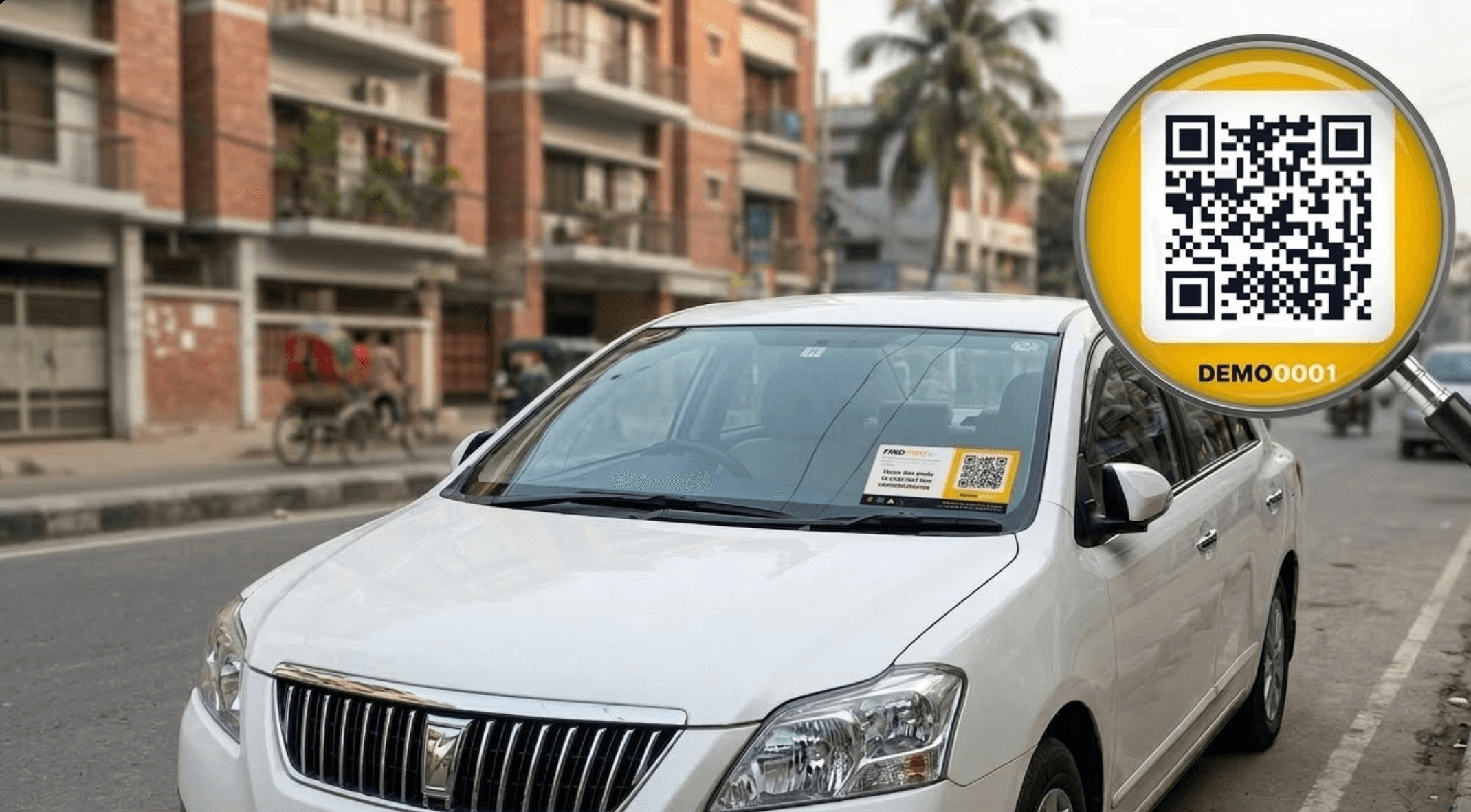
Car Tag
Dashboard & rear window QR tags
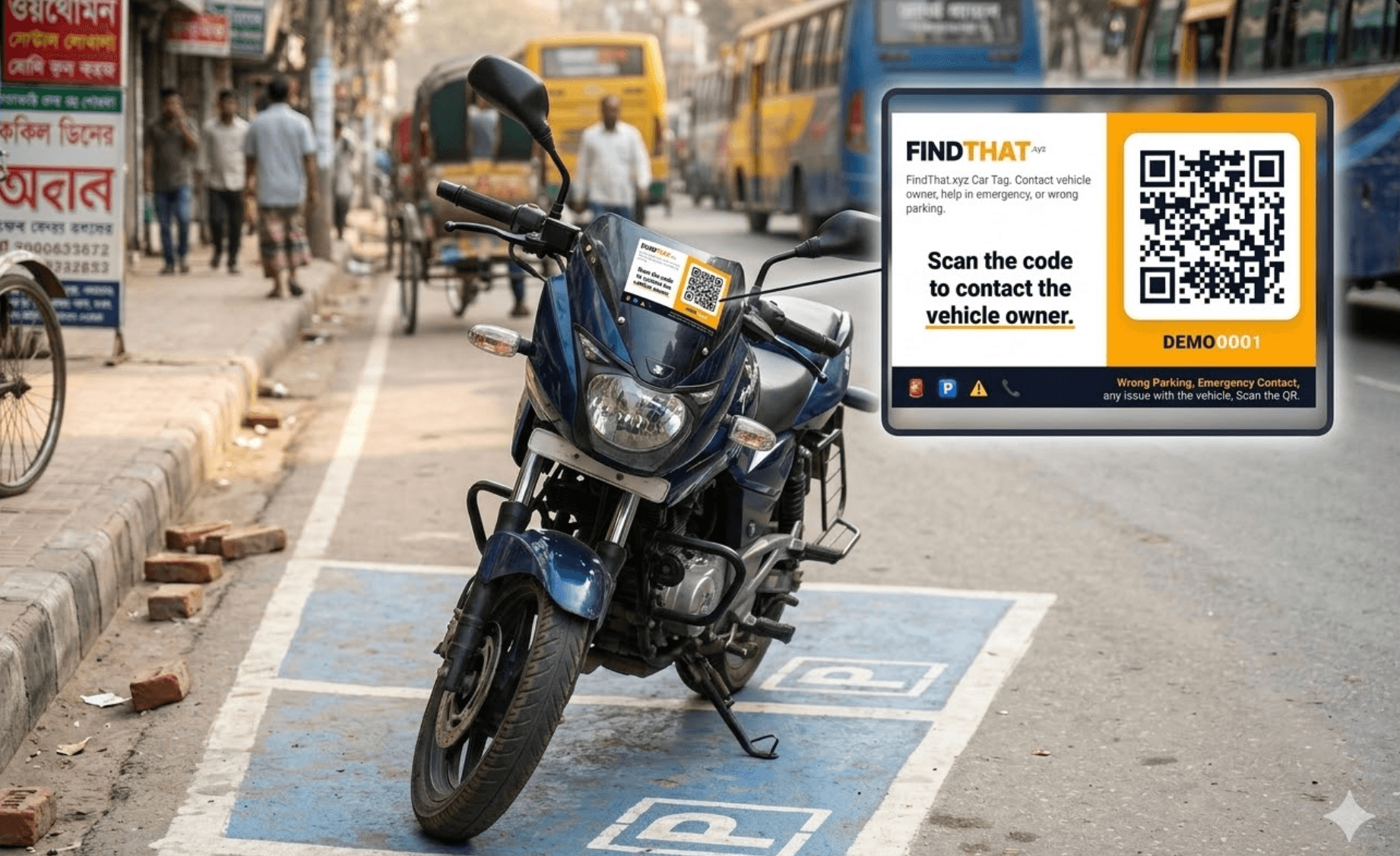
Bike Tag
Handlebar QR tag for motorcycles
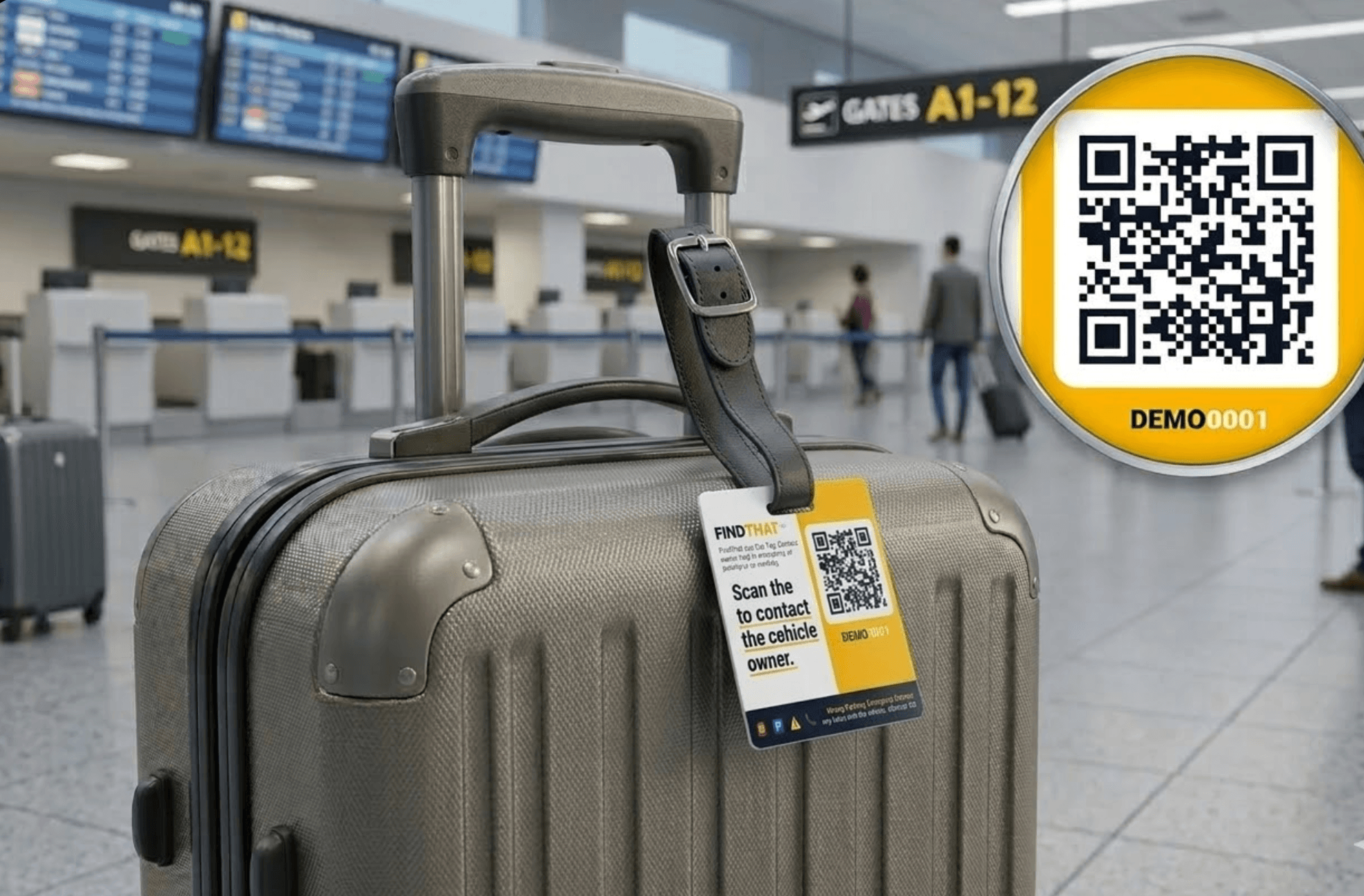
Luggage Tag
Travel-proof tag for your bags
The Car FindThat Tag
The most popular tag in Bangladesh. Stick it on your car dashboard and never worry about someone not being able to reach you when they need to.
Weatherproof & Durable
Premium vinyl that withstands heat, rain, and sun. Built to last years on your dashboard.
Instant QR Notifications
Anyone scans your tag — you get an email and in-app notification within seconds.
100% Phone Privacy
Your real phone number is never shown. The scanner fills a simple contact form instead.
Pack of 2 Tags
One for the dashboard, one for the rear window. Double the visibility.
Tags for Every Situation
Wherever life takes your things, FindThat keeps you connected.
Double-Parked Cars
Someone blocked your car? They scan the tag and notify you instantly. No more waiting around.
Lost Luggage
Bag left at the airport or hotel? Anyone who finds it can contact you without needing your number.
Lost Pets
Attach a tag to your pet's collar. Anyone who finds your pet can reach you privately and quickly.
Keys & Valuables
Left your keys somewhere? Attach a tiny tag. The finder scans, you get notified.
Made for Bangladesh
Built with privacy in mind for the people of Bangladesh. Your phone number stays private. Always.
Frequently Asked Questions
Everything you need to know about FindThat tags.
Who is FindThat for?
Anyone who wants to be reachable without giving out their phone number. Car owners use it for double-parking situations, travelers attach it to luggage, pet owners put it on collars, and even restaurant or shop owners use it as a contactless way for customers to reach them.
Can this tag track my car's location?
No. FindThat tags are not GPS trackers. They are simple QR codes — they don't track location, speed, or movement. A tag only works when someone physically scans it with their phone camera. There is no battery, no electronics, and no tracking of any kind.
Is there any monthly cost or subscription?
No. You pay once for the physical tag, and it works forever. There are no monthly fees, no subscription, and no hidden charges. Your tag and QR code stay active for life.
Can someone get my phone number by scanning the tag?
Absolutely not. That's the whole point of FindThat. When someone scans your tag, they see a contact form — not your phone number. They fill in their name, phone, and message, and you receive a notification. Your real number is never revealed.
Who can scan my tag?
Anyone with a smartphone camera. No app download is needed. The scanner simply points their phone camera at the QR code, which opens a webpage where they can send you a message. It works on any phone — iPhone, Android, or anything with a camera and browser.
Can I use FindThat tags for things other than cars?
Yes! While car tags are our most popular product, people use FindThat tags on bikes, luggage, pet collars, keys, office equipment, restaurant tables, shop counters — anything where you want someone to be able to contact you quickly and privately.
What happens when someone scans my tag?
They see a simple contact form with your tag's label (e.g., "White Honda City"). They enter their name, phone number, and a message. You instantly receive an email notification and an in-app notification on your FindThat dashboard.
Can I deactivate or transfer a tag?
Yes. You can deactivate any tag from your dashboard at any time. Once deactivated, scanning the QR code will show a "tag not found" message. You can reactivate it later or contact us to transfer it to a different account.
Do I need to install an app?
No — neither you nor the person scanning needs an app. You manage your tags through the FindThat website on any browser. Scanners just point their phone camera at the QR code and it opens automatically.
Is my data safe?
Yes. We only store the minimum data needed: your email for login, and contact form submissions so you can be notified. We don't sell data, don't show ads, and don't share your information with anyone. Your phone number is never visible to scanners.
Ready to protect your car?
Get your FindThat car tag today. Takes 2 minutes to set up. Works forever.